This post walks through how I configured a certificate authority in Azure Key Vault. Currently, it natively supports integration with DigiCert and GlobalSign which is convenient. Public CAs have reduced certificate validity periods and are pushing towards shorter lifetimes.
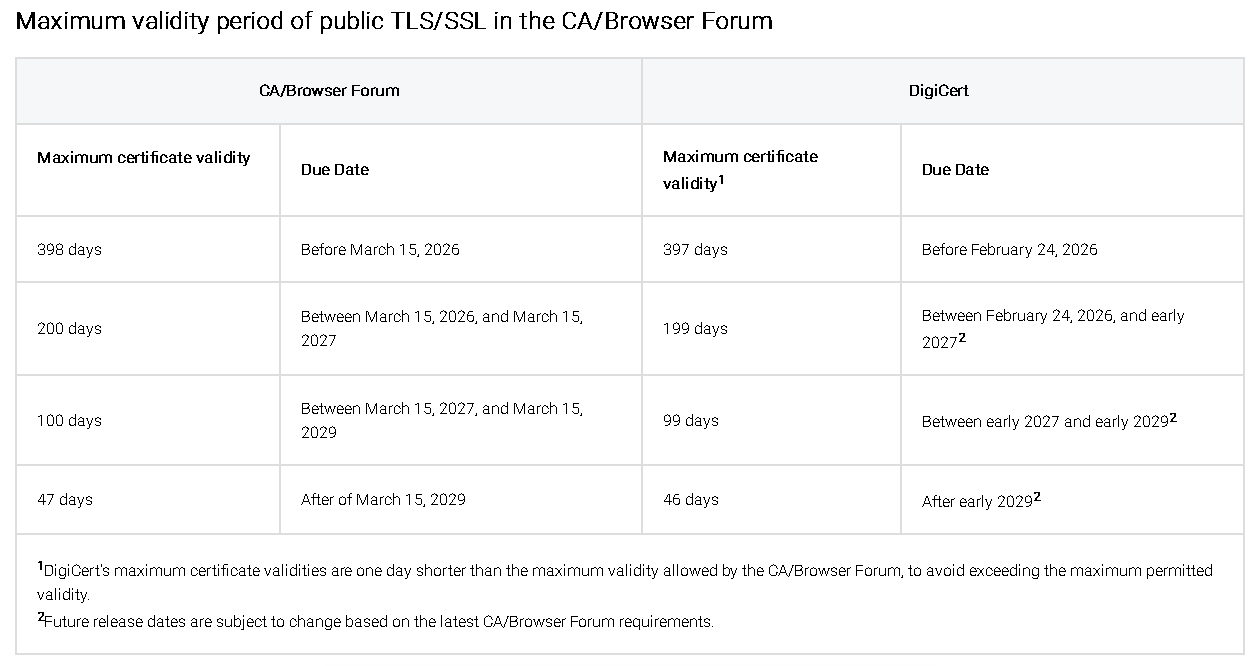
That means certificates expire more frequently, and manual renewal becomes a constant chore. Automating renewals in Azure Key Vault isn’t just a convenience anymore; it’s practically a necessity.
In my lab environment, I have an Azure Application Gateway with multiple backend applications. Each HTTP listener on my Application Gateway consumes the public certificates hosted on my Azure Key Vault.
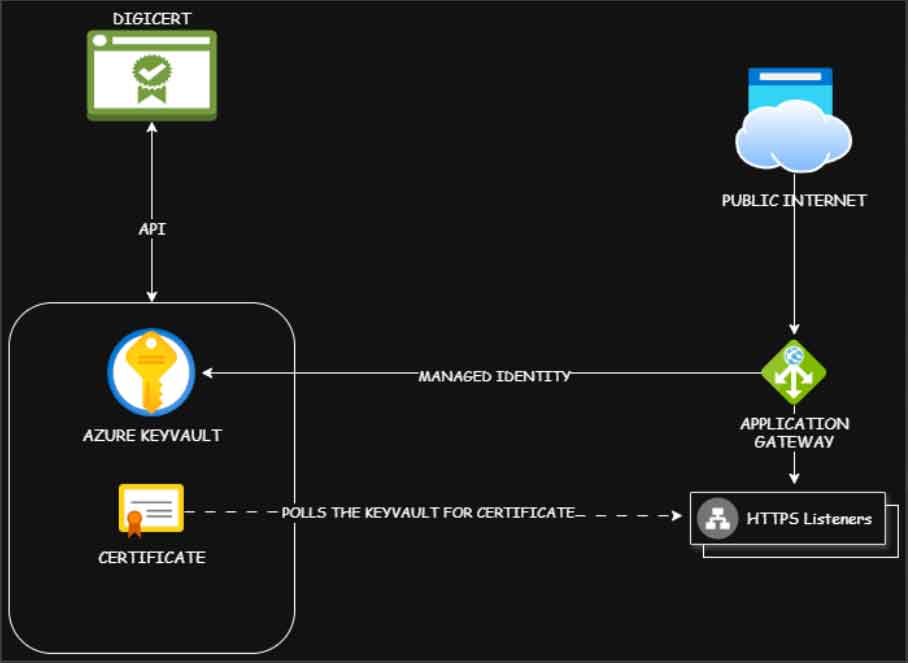
Within the Azure Key Vault, I will configure Digicert as a certificate authority. To do this, go to the DigiCert Central portal and create a service user. Next, create an API Key with the appropriate permissions to request and access certicates, and link this API key to the service user. Make sure to copy the API key to a secure location as we will need this to configure a CA on the KeyVault.
On the Azure Key Vault, under Certificates section, go to Certificate Authorities and add a new entry. Make sure you have the following information for your DigiCert account including the API Key we created previously.
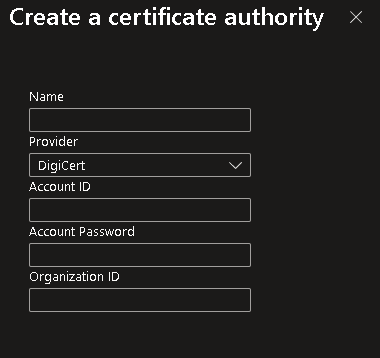
Enter the API Key in the Account Password field and save the entry. Now that we have our Certificate Authority configured, we can now generate a new certificate by clicking the Generate/Import button under the Certificates section in Azure Key Vault.
Under the Type of Certificate Authority, select the Certificate Issued by an Integrated CA option then select the Certificate Authority we created in the previous step. Enter all the required certifcate information like the CN, DNS/SAN Names.
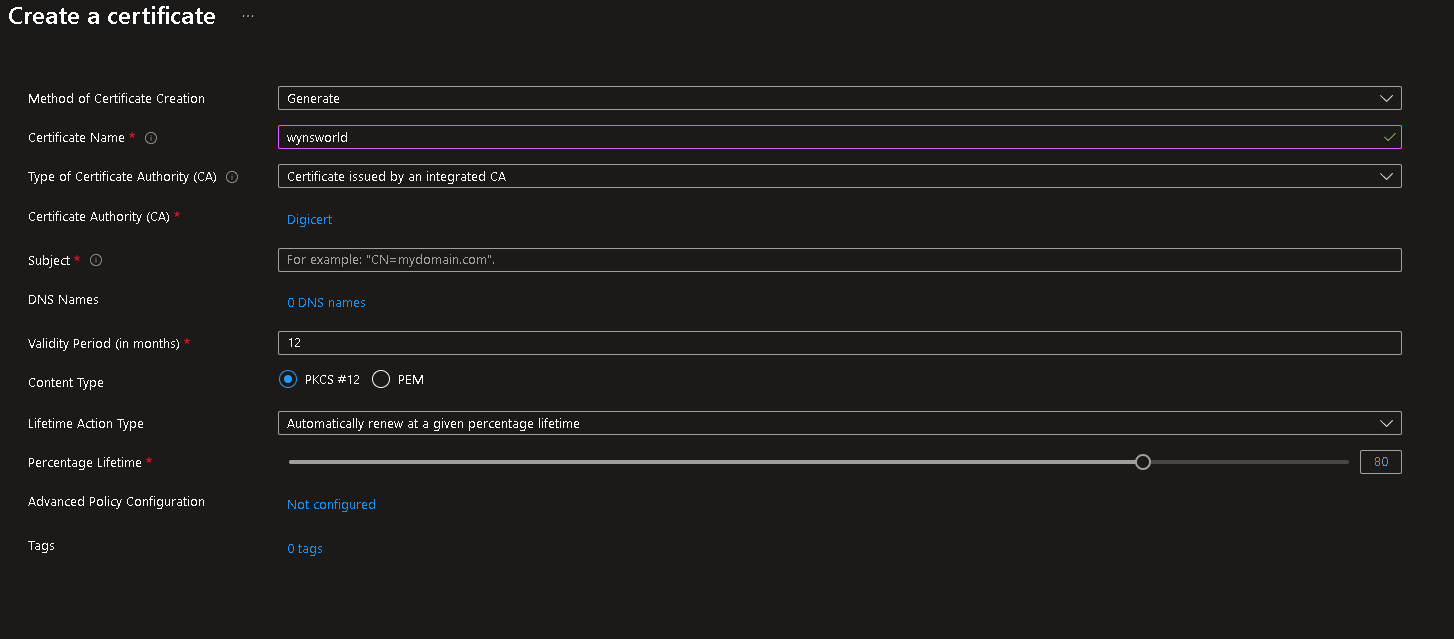
Under the Validity Period, you can assign a custom lifetime for your certificate. You can then assign a threshold value and select the action when it reaches that threshold value. In my case, I want to perform auto-renew the certificate.

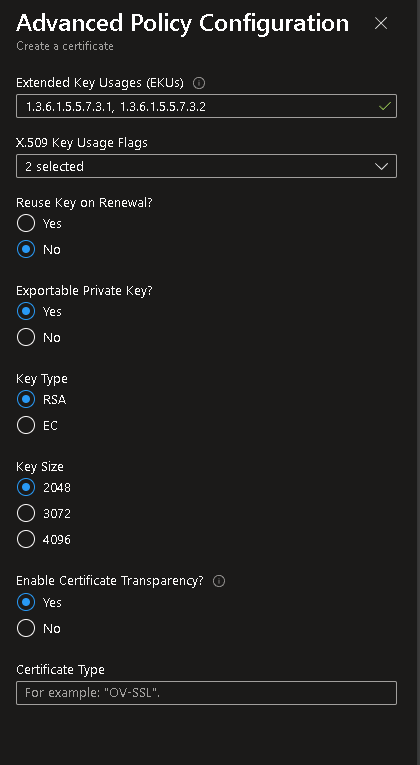
By default, when it initiates a renewal, it generates a new private key (recommended). If this is not what you want, you can click the Advanced Policy Configuration option and select your preferred certificate settings such as Key Size or if you don’t want to roll over the private key.
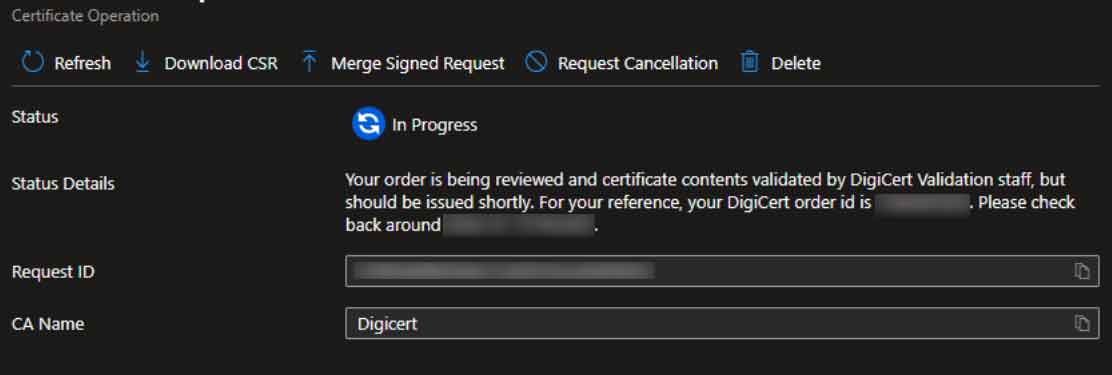
When you click Create after filling up all the required information, Azure Key Vault generates a CSR and sends a certificate request to DigiCert using the API. DigiCert goes through its validation process which may require appropriate approvals.
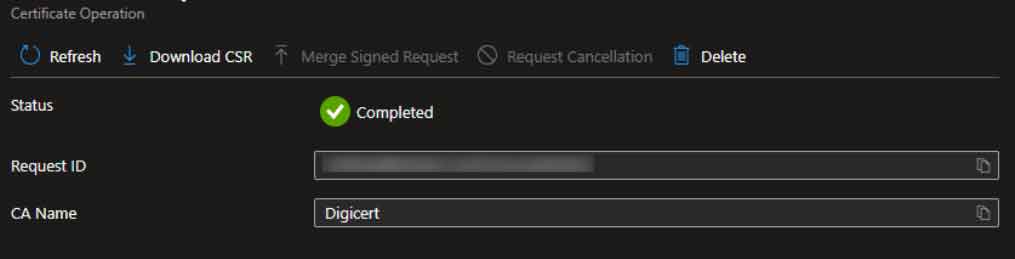
Once approved, the Azure Key Vault merges the signed certificate from DigiCert and creates a new certificate object under the Certificates section. The HTTP Listener on my Azure Application Gateway can now consume this certificate object. When it reaches the lifetime threshold we configured, an auto-renewal process is automatically started between the Azure Key Vault and DigiCert.
When DigiCert issues a new certificate, a new version is created within the Certificat Object in the Key Vault.
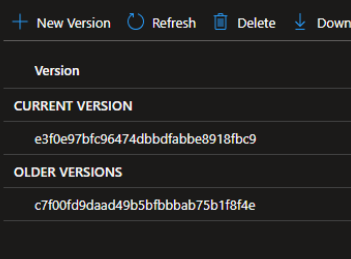
The Application Gateway will detect the latest version the next time it polls the Key Vault and will automatically use the new certificate. With automated issuance and renewal in place, I no longer have to track expiry dates or scramble to replace certificates at the last minute. Everything updates itself quietly in the background, and I get to focus on the work that actually matters instead of babysitting certificate lifecycles on my Application Gateway. I hope this has been helpful.