Recently, I investigated the process of backing up and copying secrets between two Key Vaults. I wanted to check what happens when you need to move secrets from one key vault to another, maybe for disaster recovery or cross‑region deployments or copy secrets from dev to staging or production.
From the Azure Portal, I can backup a secret to a file, then restore it to another key vault. But I can’t restore to a key vault in a different subscription. The backup file is encrypted and can only be restored within the same subscription.
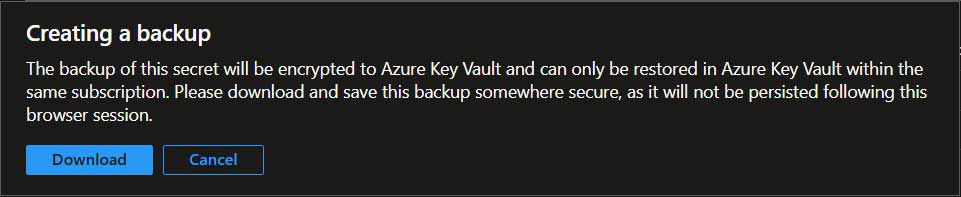
We also need to download and restore each secret individually. This is fine if we only have a few secrets to backup and restore.
If we want to move secrets across key vaults in different subscriptions, we need the download option instead of the backup. In my scenario, I use powershell to download the secret values from the source key vault and then create the secret values at the destination key vault. However, be careful with secret values as they are not encrypted like the backup option. Don’t log them or output them as it could get recorded. Keep everything in memory. Better yet, avoid storing in memory by not storing into variables if possible for better security.
Here is the script I used. (Note: Modify it for your own situation)
Connect-AzAccount

# Define source and destination vaults
$sourceVault = "SourceVaultName"
$destVault   = "DestinationVaultName"

$secrets = Get-AzKeyVaultSecret -VaultName $sourceVault
foreach ($secret in $secrets) {
    $secretValue = (Get-AzKeyVaultSecret -VaultName $sourceVault -Name $secret.Name).SecretValue
    $plainText = [System.Net.NetworkCredential]::new("", $secretValue).Password
    Set-AzKeyVaultSecret -VaultName $destVault -Name $secret.Name -SecretValue (ConvertTo-SecureString $plainText -AsPlainText -Force)
}
Disconnect-AzAccount
This is a very basic example which can be a starting point for me to expand on. While I was doing this, other alternative ideas came to mind so I’ll experiment and share them soon.