Last time, I walked through exporting secrets from one Key Vault to another using PowerShell. That script could definitely be polished up and even automated with a scheduled task or an Azure runbook.
In this post, I’ll take a different approach: using an Azure Logic App to copy secrets between Key Vaults. Logic Apps bring a low-code, workflow-based way to handle automation, so you don’t need to maintain scripts or worry about infrastructure. I’ll show how to set it up using a consumption based Azure LogicApp.
My goal here is to keep secrets in sync: making sure everything stored in KV1 (in one region) is reliably copied over to KV2 (in a secondary region). KV1 acts as the source of truth—so if a secret is deleted in KV1, it’s also deleted in KV2. Every version of each secret is mirrored across to KV2 as well. This setup helps with redundancy, disaster recovery, and keeping applications that rely on Key Vault secrets running smoothly even if one region goes down.
My setup:
KV1:
name: wyn-kv1
location: AustraliaSoutheast
KV2:
name: wyn-kv2
location: AustraliaEast
LogicApp:
name: wyn-kvlogicapp1
location: AustraliaEast
I’ll be using a system-assigned managed identity for the Logic App. On KV1, the identity will have Get and List permissions, while on KV2 it will be granted Get, Set, Delete, and List.
LogicApp Workflow:
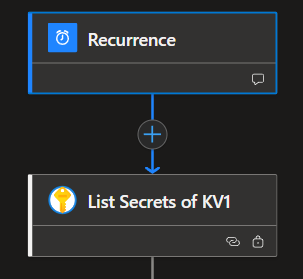
I begin by setting up a schedule—configured to run daily at 7 PM. Next, I add a step that lists all the secrets from KV1.
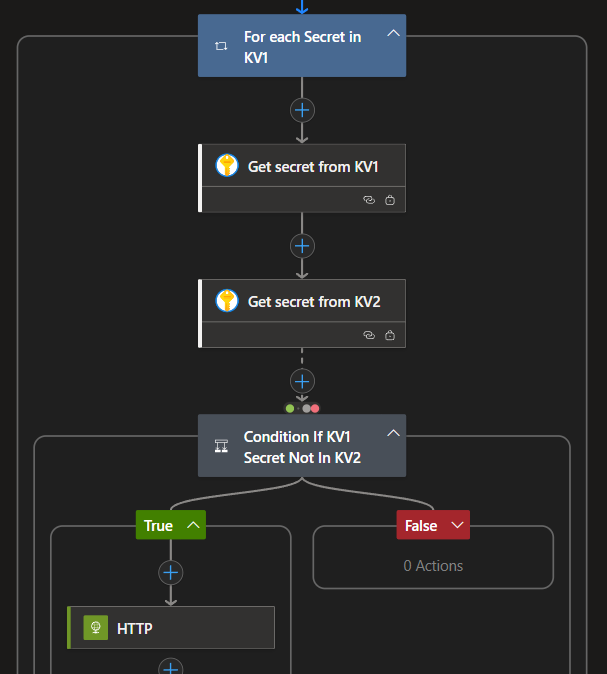
I add a For Loop step to iterate through each secret in KV1 and check against KV2. With an If condition, any secret from KV1 that doesn’t already exist in KV2 is created there. It also compares the values of the secrets to ensure they are the same at both sides.
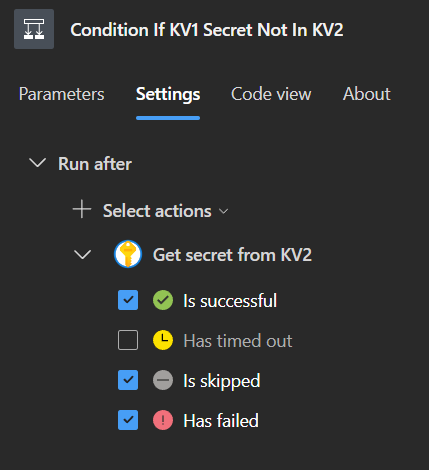
For the If condition, I configure it to run even if the previous step fails. This ensures that when a secret doesn’t exist in KV2, the action still executes—allowing us to create the missing secret in KV2 without interruption.
Since I’m working with a consumption-based Logic App, I rely on an HTTP action to perform the operation. In this setup, the Logic App makes a direct call to the Key Vault REST API. Using HTTP actions is a common approach in consumption plans because they don’t require additional connectors or premium features—just a straightforward request and response model that’s easy to customize. Below are the HTTP action details that run when the If condition evaluates to TRUE. This uses a PUT method to create a secret on KV2.
{
  "type": "Http",
  "inputs": {
    "uri": "https://wyn-kv2.vault.azure.net/secrets/@{items('For_each_Secret_in_KV1')?['name']}?api-version=7.3",
    "method": "PUT",
    "headers": {
      "Content-Type": "application/json"
    },
    "body": "@json(concat('{ \"value\": \"', body('Get_secret_from_KV1')?['value'],'\" }'))",
    "authentication": {
      "type": "ManagedServiceIdentity",
      "audience": "https://vault.azure.net"
    }
  },
  "runtimeConfiguration": {
    "contentTransfer": {
      "transferMode": "Chunked"
    }
  }
}
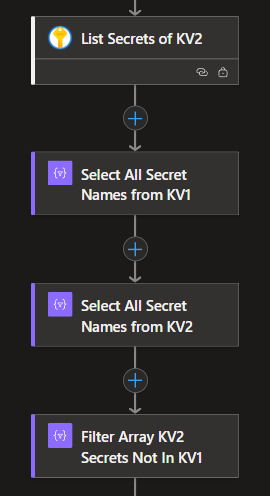
Next, I need to make sure that any secrets deleted from KV1 are also removed from KV2. To do this, I first retrieve the full list of secrets from both vaults. Then, using a Filter action, I identify the secrets that exist in KV2 but no longer exist in KV1—those are the ones that need to be cleaned up.
I add another For Loop that uses an HTTP action to run a DELETE method on KV2 for each secret that no longer exists in KV1. This ensures KV2 stays perfectly aligned with KV1 by removing any outdated entries.
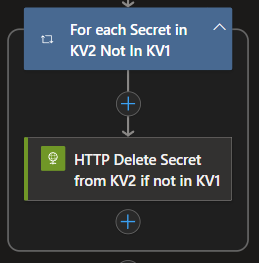
To remove the extra secrets, I use the following HTTP DELETE action:
{
  "type": "Http",
  "inputs": {
    "uri": "https://wyn-kv2.vault.azure.net/secrets/@{item()?['name']}?api-version=7.3",
    "method": "DELETE",
    "authentication": {
      "type": "ManagedServiceIdentity",
      "audience": "https://vault.azure.net"
    }
  },
  "runtimeConfiguration": {
    "contentTransfer": {
      "transferMode": "Chunked"
    }
  }
}
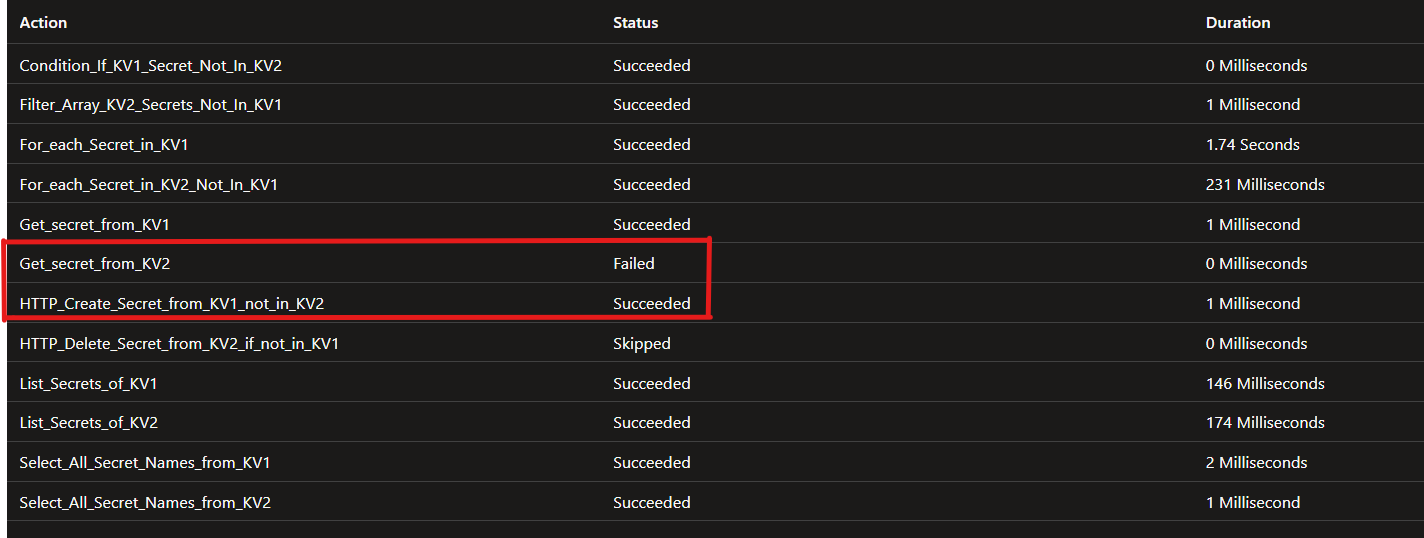
After running the Logic App, you’ll notice that the KV2 step shows as Failed on the result details. This happens because the secret exists in KV1 but not yet in KV2. That failure triggers the If condition, which then executes the HTTP call to create the missing secret in KV2.
That wraps up this walkthrough of syncing secrets between Key Vaults using an Azure Logic App. By handling the create/delete logic and automating the workflow, you can keep your secondary vault perfectly aligned with your primary one. I hope this post has been helpful and useful.