I was setting up a Conditional Access policy to block sign ins from outside the country. I created a policy based on IP-based Named Locations, and specifying a country as the trusted region. However, the problem is that users who travel overseas could still sign in if they connected through a VPN or proxy which would then show their IP as being in the country. In some cases, mobile phone roaming plans would assign IP addresses from the country even when the device was physically overseas. The IP-based restriction wasn’t truly enforcing location. This reminds me of how we could get around streaming services like Netflix where you can use a VPN to see movie catalogs from a different country.
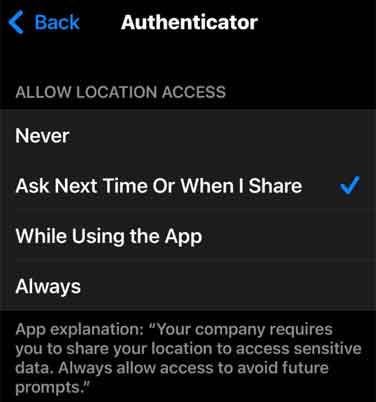
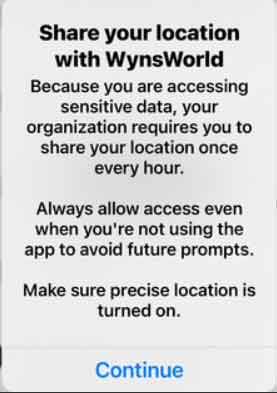
Instead of using the IP, Conditional Access can use the device’s GPS coordinates to determine the real-world location. Even if a user tunnels through a VPN or their roaming plan assigns them an IP from the country, the GPS data would detect their actual physical location. Microsoft Authenticator uses the location services on the phone (e.g. iPhone) so it needs to be allowed. This is similar to Google Maps where even if you connect to a VPN service, it would still show your actual location wherever you are as it uses GPS. In my case, my preference is to prompt me when it needs it instead of allowing all the time.
Conditional Access Policy Configuration
From the Entra admin portal, navigate to Conditional Access. Under Named Locations, create a new one. In my case I edit my existing one which I called Approved Countries as it is currently set to use IP-Based.
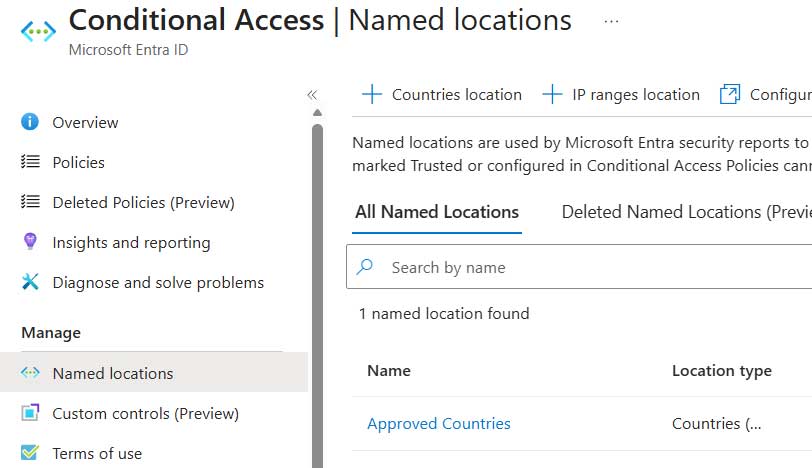
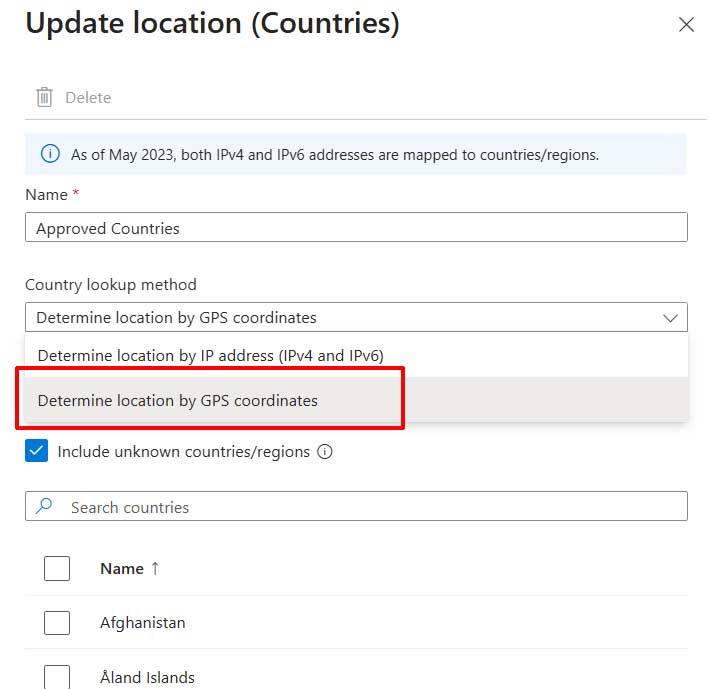
Select GPS-based instead of IP-based, then select the country.
Create a new Conditional Access policy. In my scenario, my existing Conditional Access policy uses a block policy for all locations.
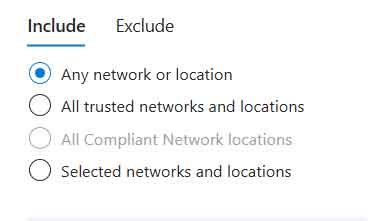
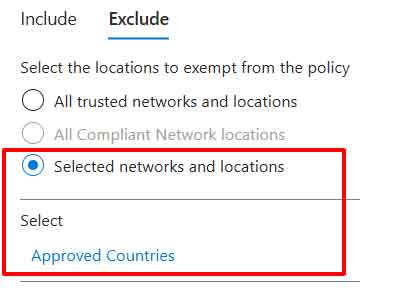
And then exclude my Approved Countries named location.
My access control is set to block.
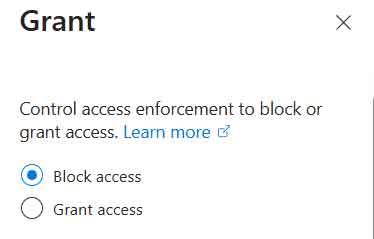
With this Conditional Access policy, whenever a user attempts to sign in from a location that is not defined within my Approved Countries named Location, it will block the sign in request.
User Experience
When a user signs in to Entra ID, they are prompted to grant the Microsoft Authenticator app permission to access their phone’s GPS location.
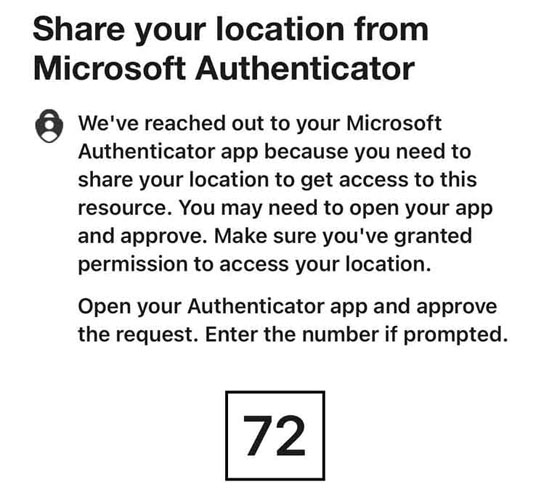
Go to Microsoft Authenticator and follow the prompt to allow.
From the Entra ID sign-in logs you would be able to see that the user’s access attempt is blocked even though the IP address appears valid for the country. When a VPN is used the IP may look compliant, but the GPS-based Conditional Access policy still detects that the device is physically outside the trusted location specified.

The Conditional Access policy result will show as Fail since the GPS location detected is not listed in my Approved Countries named location list.

By using GPS-based enforcement, when I block logins from outside the country I know the restriction can detect the user’s actual physical location, not just the IP address they use. This makes the policy far more reliable and secure especially for an increasing mobile workforce. I hope you found this useful.